Understanding Object-Oriented Programming in JavaScript
JavaScript OOP Basics: Classes, Constructors, and Encapsulation
If you have been following along with our JavaScript journey, you know how to create individual objects. For example, creating a single student:
let student1 = {
  name: "Alia",
  age: 23,
  study: function() { console.log("Alia is studying."); }
};
student1.study();

E:\Hitesh_Web_Dev_2026\blog_folder\09.JS-Understanding Object-Oriented Programming in JavaScript>node 09-assign.js
Alia is studying.
This works perfectly for one student. But what if you are building a university system with 10,000 students? Typing out that exact same structure 10,000 times would be a nightmare.
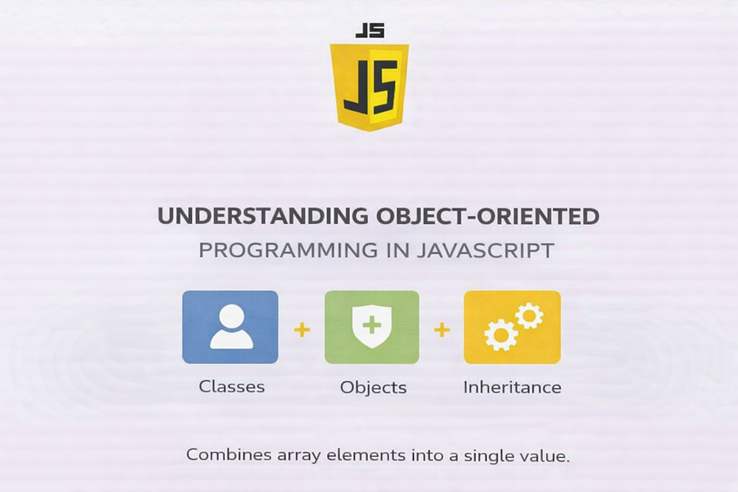
To solve this, programmers use a concept called Object-Oriented Programming (OOP).
What Object-Oriented Programming (OOP) means?
OOP is a programming style (a paradigm) centered around Objects rather than just functions and logic.
Instead of writing a bunch of disconnected variables and functions, OOP allows us to bundle related data and behaviors into single, organized packages. The biggest advantage of OOP is Code Reusability.
An object contains:
Properties (data)
Methods (functions that act on that data)
Instead of writing scattered variables and functions, OOP helps us group related data and behavior together in one structured format.
In simple words:
OOP = Organizing code using objects that represent real-world things.
Why is this important?
Improves code structure
Makes programs easier to manage
Encourages code reusability
Makes large applications easier to maintain
In modern JavaScript development, OOP plays a major role in building scalable applications.
Real-world analogy (blueprint → objects)
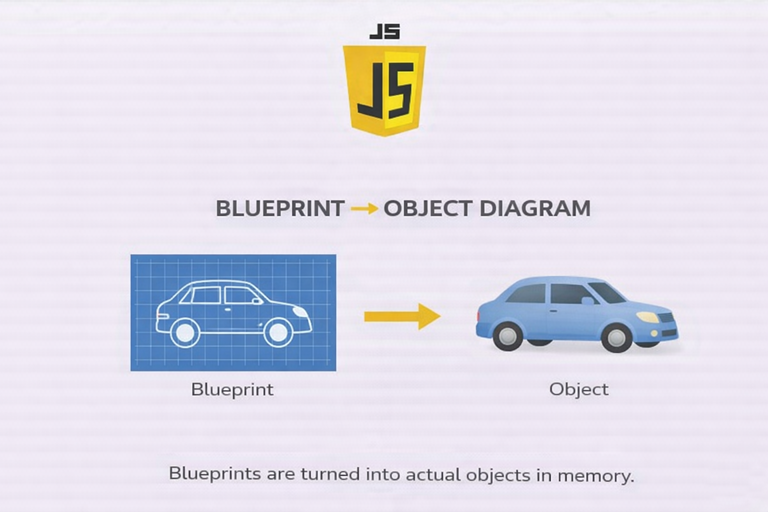
Imagine you are working at a car factory. You do not design a brand-new car from scratch every time an order comes in.
Instead, engineers create a Blueprint. The blueprint is not a physical car you can drive, but it defines exactly what the car will have (wheels, color, engine) and what it will do (drive, brake).
Using that single blueprint, the factory can build thousands of actual, physical cars. Some might be painted red, others blue, but they all share the same fundamental structure.
The blueprint defines:
Color
Model
Engine type
Speed method
But the blueprint itself is not a car.
From one blueprint, we can create:
A red car
A blue car
A black car
Each of these is an object (instance) created from the same blueprint.
Blueprint → Class
Car created from blueprint → Object
What is a Class in JavaScript?
In JavaScript, the "blueprint" from our analogy is called a Class.
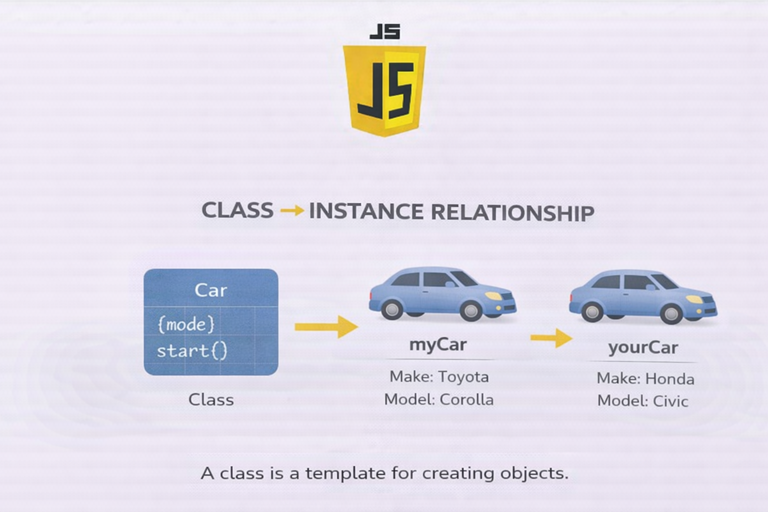
A class is a template for creating objects. It defines the properties (variables) and methods (functions) that the created objects will have.
Here is how we create a basic class:
Basic Syntax:
class Car {
constructor(brand, color) {
this.brand = brand;
this.color = color;
}
}Here:
Car is the class.
brand and color are properties.
constructor() initializes the object.
Think of a class as a template.
Creating Objects Using Classes
Once we define a class, we can create objects using the new keyword.
let car1 = new Car("Toyota", "Red");
let car2 = new Car("Honda", "Blue");console.log(car1);
console.log(car2);Output:
Car { brand: "Toyota", color: "Red" }
Car { brand: "Honda", color: "Blue" }Here:
car1 and car2 are objects.
Both are created from the same class.
They have different values but share the same structure.
This shows code reusability — we define once, create many times.
Constructor method
The constructor is a special method inside a class.
It runs automatically when we create a new object.
Its purpose:
Initialize properties
Assign values during object creation
Example with Person Class
class Person {
constructor(name, age) {
this.name = name;
this.age = age;
}
}let person1 = new Person("Rahul", 22);
console.log(person1);
Here:
name and age are passed as arguments.
this.name assigns value to the object property.
this.age assigns value to the object property.
The keyword this refers to the current object being created.
Methods inside a class
Objects do not just hold data; they can do things. A car can drive. A student can study.
We can add Methods (functions inside a class) to give our objects behavior. Notice that we do not need the function keyword when writing methods inside a class.
Example:
class Person {
constructor(name, age) {
this.name = name;
this.age = age;
}greet() {
console.log("Hi, my name is " + this.name);
}
}let person1 = new Person("Rahul", 22);
person1.greet();Output:
Hi, my name is Rahul
Basic idea of encapsulation
OOP relies on a few core pillars, and one of the most important is Encapsulation.
Encapsulation sounds like a big, scary word, but it just means "putting things in a capsule." It is the practice of bundling the data (properties like name and age) and the actions that operate on that data (methods like startEngine()) together into one single unit (the Object).
By keeping the data and the methods that manage it locked together inside the class, our code is safer, more organized, and much easier to debug.
class Student {
    constructor(name, marks) {
        this.name = name;
        this.marks = marks;
    }

    getDetails() {
        return this.name + " scored " + this.marks;
    }
}
let student1 = new Student("Alia", 85);
console.log(student1.getDetails());

E:\Hitesh_Web_Dev_2026\blog_folder\09.JS-Understanding Object-Oriented Programming in JavaScript>node 09-assign.js
Alia scored 85
Assignment Idea
Assignment Idea
Create a class called Student2
Add properties like name and age
Add a method that prints student details
Create multiple student objects
// 1. Create a class called Student2 (The Blueprint)
class Student2 {

  // 2. Add properties like name and age using the constructor
  constructor(studentName, studentAge, studentCourse) {
    this.name = studentName;
    this.age = studentAge;
    this.course = studentCourse;
  }

  // 3. Add a method that prints student details
  printDetails() {
    console.log(`Student Info: \({this.name} is \){this.age} years old and studies ${this.course}.`);
  }
}

// 4. Create multiple student objects (The Instances)
const student1 = new Student2("Alia ", 20, "Computer Science");
const student2 = new Student2("Nikhil", 23, "Graphic Design");
const student3 = new Student2("Vikash", 19, "Web Development");
// Testing our methods
console.log("--- University Roster ---");
student1.printDetails();
student2.printDetails();
student3.printDetails();

E:\Hitesh_Web_Dev_2026\blog_folder\09.JS-Understanding Object-Oriented Programming in JavaScript>node 09-assign.js
--- University Roster ---
Student Info: Alia  is 20 years old and studies Computer Science.
Student Info: Nikhil is 23 years old and studies Graphic Design.
Student Info: Vikash is 19 years old and studies Web Development.
Conclusion
Object-Oriented Programming (OOP) is a game-changer for writing scalable code. By using Classes as blueprints, we can instantly generate thousands of unique Objects that all share the same underlying structure and methods.
Instead of writing 1,000 lines of repetitive code, you write 10 lines of smart code. That is the power of OOP!
As a web development student, understanding OOP helps in:
Building structured frontend applications
Working with frameworks like React
Writing reusable components
Managing large-scale projects
OOP promotes:
Reusability
Scalability
Clean architecture
Logical thinking


